

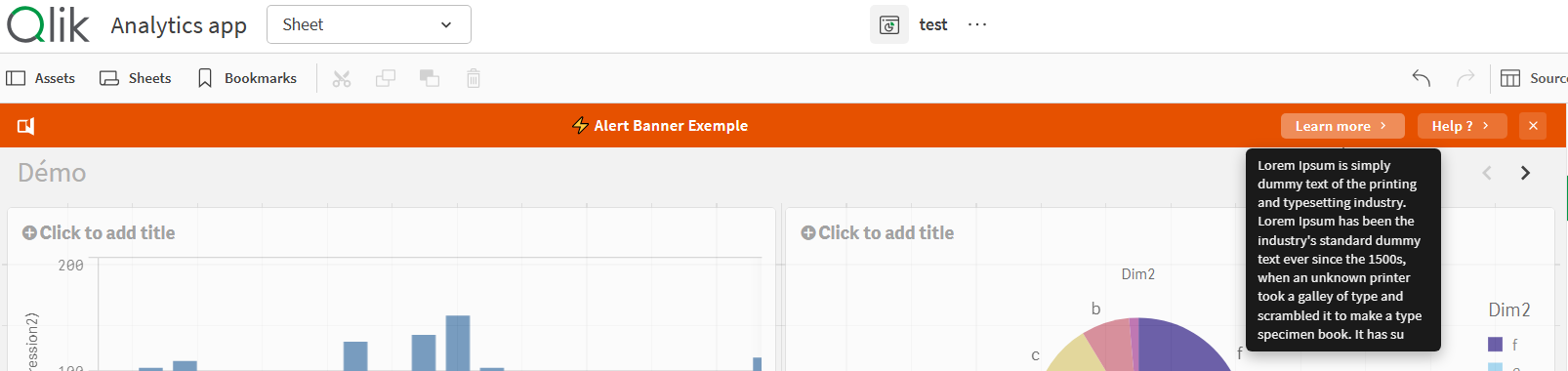
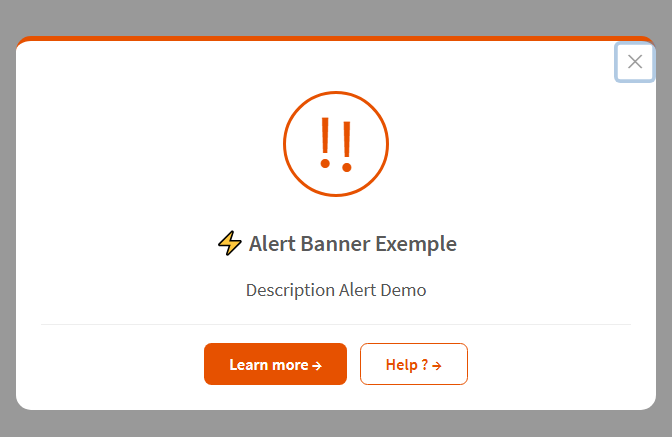
I just released QS Alert Banner, a free and open source Qlik Sense extension I developed to inject announcement banners or pop up alert directly into any app.
It's useful for decommissioning notices, migration alerts, maintenance warnings, or any message you need users to see before interacting with a sheet.
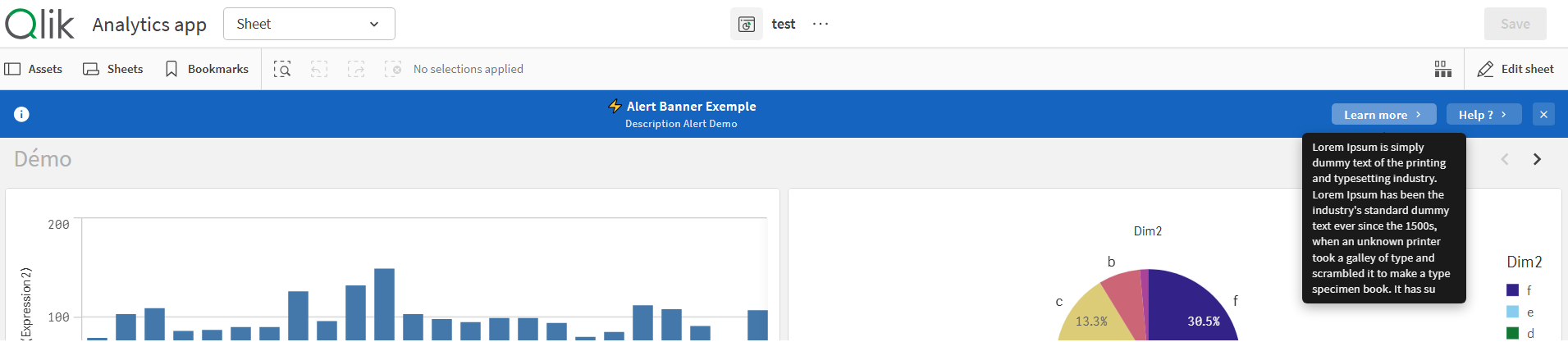
What it does
- Two-line display A main title + an optional description line in smaller font.
- Two clickable buttons Each button has its own label, URL, target (new tab or same tab), and hover tooltip. Perfect for redirecting users to a new app or a documentation page.
- Fully dynamic Every text field, color, and URL supports Qlik expressions.
- Conditional visibility Show or hide the banner using a Qlik expression (
1= show,0= hide). Useful if you only want to display it for certain users or time periods. - Dismissible An optional close button lets users dismiss the banner for the current session. They won't be bothered again until they reopen the app.
- Custom styling Background color, text color, font size, banner height so all configurable from the properties panel.
- Icon selector Choose between megaphone, info, warning, or no icon at all.
Installation
Qlik Sense Desktop
- Download or clone the repository from GitHub
- Copy the
AlertBanner/folder to:
C:\Users\<YOUR_USER>\Documents\Qlik\Sense\Extensions\AlertBanner- Refresh your Qlik Sense application
Qlik Sense Server or Qlik Cloud
- Download the
.zipfrom the GitHub release - Open the Qlik Management Console
- Navigate to Extensions → Import
- Upload the
.zipfile - The extension is now available in all apps on the server
Compatibility
| Platform | Status |
|---|---|
| Qlik Sense Desktop | ✅ |
| Qlik Sense Enterprise on Windows | ✅ |
| Qlik Sense SaaS | ✅ |
Source code & download
QS Alert Banner is open source (MIT license).
You can use it, modify it, and distribute it freely.
If you use it or have feedback, please let me know in the comments or on LinkedIn.